
Charging, satellite signal, blades, alerts, app, or battery: find which Navimow system is actually failing, plus the install mistakes behind most faults.
Segway Navimow Not Working? Complete Troubleshooting Guide
brand guides
September 3, 2026
11 minutes
Beginner Friendly
Finding the Right Navimow Fix Fast
Navimow already has seven dedicated guides here — charging, satellite signal loss, blades, alerts, app pairing, battery replacement, and winterizing each get a full diagnostic. This page won't repeat them. It gets you to the right one in about a minute, and covers the two things none of them touch: the installation and mapping mistakes behind most first-season problems, and what actually differs between the i Series, the H Series, and a mower running VisionFence.
One framing saves a lot of wasted troubleshooting: there's no buried wire here. When a Navimow misbehaves, the question is which system is unhappy — positioning, power, cutting, or the network.
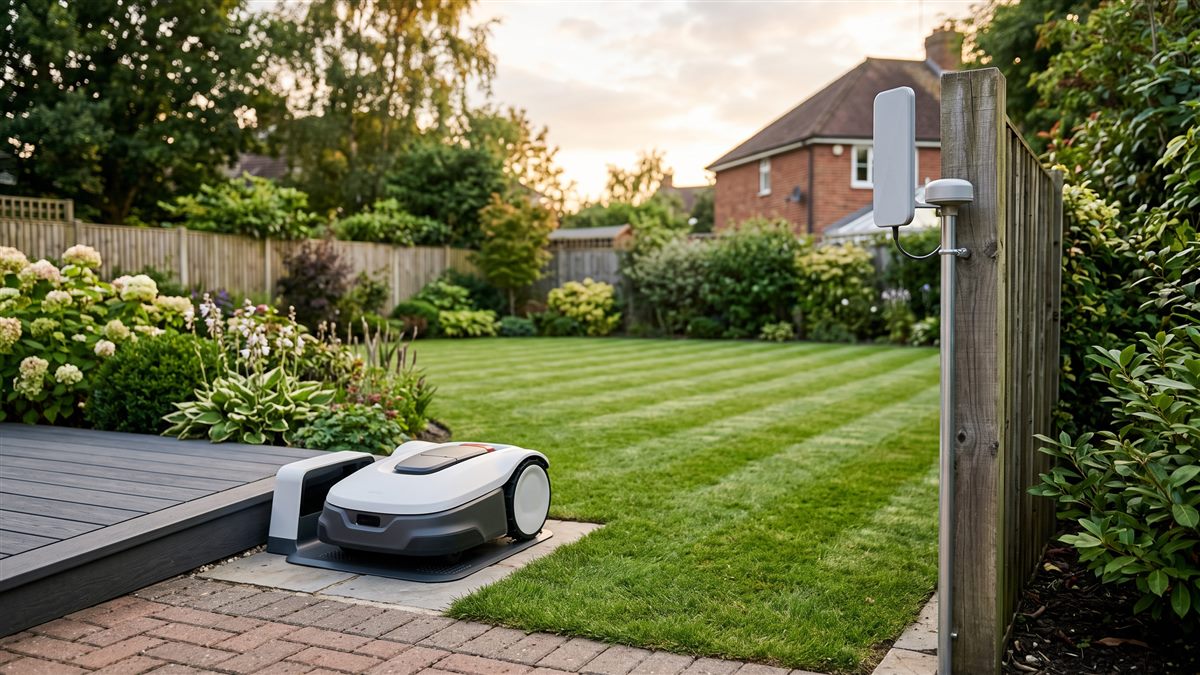
Try This First (2 Minutes)
- Read the exact message in the app rather than guessing from the mower's behaviour
- Note whether the mower is lost, dead, not cutting, or offline — those are four different guides
- Check the reference antenna is still where you installed it and hasn't been knocked or shaded
- Power cycle from the main switch before assuming a hardware fault
Fix 1: Won't Charge or Won't Leave the Dock (Works Around 20% of the Time)
How to Fix:
- Power off and wipe the charging contact plates on both the mower and the dock
- Confirm the mower seats square on the dock rather than at an angle
- Check the dock's power adapter and the outdoor cable run for damage
Time: 10-15 minutes | Cost: Free | Success Rate: ~20% | Difficulty: Easy
Our dedicated Segway Navimow won't-charge guide covers the full contact, alignment, and power-supply diagnostic — including why a dead dock and a lost mower can be the same fault.
If this doesn't work: Move to Fix 2 if the mower charges fine but can't find itself.
Fix 2: Lost Position or Satellite Signal Warning (Works Around 20% of the Time)
How to Fix:
- Check what's changed above the antenna — new foliage, a shed, a parked van
- Confirm the reference antenna still has a clear view of open sky
- Note whether signal drops in one specific spot or everywhere
Time: 15-30 minutes | Cost: Free | Success Rate: ~20% | Difficulty: Moderate
Our dedicated Segway Navimow GPS signal lost guide covers the full reference-station, sky-view, and dead-zone diagnostic. It's the failure mode owners coming from boundary-wire machines most often mistake for a broken mower.
If this doesn't work: Move to Fix 3 if the mower navigates fine but isn't cutting.
Fix 3: Blades Not Spinning (Works Around 15% of the Time)
Safety note: Power off the mower and disconnect the battery before reaching near the blade disc.
How to Fix:
- Power off and clear grass wrapped around the blade spindle
- Scrape packed clippings off the underside of the deck
- Check the blades pivot freely and aren't cracked around the screw
Time: 10-20 minutes | Cost: Free, or $10-25 for a blade set | Success Rate: ~15% | Difficulty: Easy
Our dedicated Segway Navimow blade not spinning guide covers debris, blade fitment, and the motor diagnostic in full. Worth saying plainly: cutting and positioning are unrelated systems here, and a blade problem is never a satellite problem.
If this doesn't work: Move to Fix 4 if the app is showing an alert you can't interpret.
Fix 4: An Alert You Can't Decode (Works Around 15% of the Time)
How to Fix:
- Read the full message in the app rather than the status light alone
- Check whether it's a lift, tilt, rain, or obstacle alert — usually the safety system working correctly
- Clear the physical cause before dismissing the alert
Time: 10-15 minutes | Cost: Free | Success Rate: ~15% | Difficulty: Easy
Our dedicated Segway Navimow error codes and alerts guide covers each alert category and which guide handles it.
If this doesn't work: Move to Fix 5 if the app itself won't connect.
Fix 5: App Offline or Won't Pair (Works Around 10% of the Time)
How to Fix:
- Confirm your home Wi-Fi is broadcasting 2.4GHz, not 5GHz only
- Check the mower's own connection separately from the reference station's internet link
- Remove and re-pair the mower rather than retrying a stale connection
Time: 10-20 minutes | Cost: Free, or $20-40 for a Wi-Fi extender | Success Rate: ~10% | Difficulty: Easy
Our dedicated Segway Navimow app not connecting guide covers band mismatches, pairing order, and range problems.
If this doesn't work: Move to Fix 6 if runtime rather than connectivity is the problem.
Fix 6: Runtime Dropping Season Over Season (Works Around 10% of the Time)
How to Fix:
- Compare runtime against last season rather than the spec sheet
- Clear the deck and wheels, since drag mimics a tired pack
- Rule out cold weather before ordering anything
Time: 20-30 minutes | Cost: Free to diagnose | Success Rate: ~10% | Difficulty: Easy
Our dedicated Segway Navimow battery replacement guide covers when the pack is genuinely done and how to swap it.
Installation Mistakes That Cause Most First-Season Problems
None of the guides above cover setup, and setup is where a surprising share of "faulty mower" reports actually begin.
- Antenna placement is the whole install. A reference antenna tucked under a roof overhang, against a wall, or beneath a tree canopy will work in April and fail in June when the leaves come in. Give it open sky and think a season ahead.
- Mapping in the wrong conditions. Walking the boundary in poor reception produces a map that's subtly wrong everywhere, and every later run inherits that error.
- Boundaries drawn too tight. No margin at fences, ponds, and beds leaves the mower nowhere to correct into. A small buffer prevents a lot of edge wandering.
- Forgetting no-go zones. Trampolines, dog runs, and shallow ponds need explicit exclusions — there's no wire telling the mower to stay away.
- Docking approach blocked. A dock tucked behind a planter causes docking failures that look exactly like charging faults.
- Not re-mapping after landscaping. New beds, a shed, or a moved fence line means the old map no longer matches the lawn.
Fixing a bad map is usually faster than troubleshooting its symptoms one at a time. If the mower has behaved oddly since day one rather than developing a fault, re-map first.
What's Actually Different Across the Range
i Series (i105N, i110N and siblings): the compact end of the range, aimed at smaller lawns. Simpler installs and fewer positioning headaches — though a small garden ringed by walls and fences can still be a difficult reception environment, which catches people out.
H Series: built for larger areas, meaning longer runs, more terrain variation, and more chance of a marginal-reception corner somewhere. Antenna siting matters more here, not less.
VisionFence-equipped mowers: the optional camera module adds visual obstacle recognition on top of satellite positioning — a second thing to keep clean. A lens smeared with grass dust degrades obstacle handling without necessarily throwing an alert.
One rule holds across all of them: check what changed outdoors before suspecting the machine. Foliage growth, a new structure, or a nudged antenna explains far more Navimow problems than hardware failure does.
When DIY Won't Work - Repair vs Replace
Book a service if the mower reports a hardware fault that survives a power cycle and a re-map, if the disc has visible play or grinds by hand, or if a new genuine battery behaves exactly like the old one. Those are board, motor, or module problems, not setup problems.
Rough numbers: a battery runs roughly $100-200, a cutting motor assembly meaningfully more once fitted, and a positioning module repair is firmly service-centre territory. Check warranty before opening anything — on a machine this sensor-heavy, opening a sealed assembly is an easy way to lose coverage.
Prevention That Actually Works
- Wipe the charging contacts monthly through the season
- Keep the reference antenna's sky view clear as trees leaf out
- Brush the deck and clear the spindle every couple of weeks
- Clean the VisionFence lens if your mower has one
- Re-map after any landscaping change instead of hoping the old map still fits
Our Segway Navimow winterizing guide covers the full end-of-season routine.
FAQ
My Navimow is lost. Is that a wire problem?
There's no wire. Lost position is a satellite reception problem, and our GPS signal lost guide is the starting point.
Where do I start if the mower shows an alert I don't recognise?
The error codes and alerts guide. It sorts alerts into categories and points at the dedicated guide for each.
Does VisionFence replace satellite positioning?
No — it adds visual obstacle detection on top of it. Keep the lens clean and treat it as a second system with its own maintenance.
Do i Series and H Series troubleshoot differently?
The diagnostics are the same. The difference is scale — larger properties simply have more places for reception to go marginal.
How often should I re-map?
Only when the lawn itself changes — new beds, structures, or fence lines. Re-mapping for no reason just risks a worse map than the one you had.
Did this fix work for you?
73 people found this guide helpful

Derek Holloway
Lead Robot Mower Repair Specialist
Derek spent eight years installing and servicing boundary-wire and GPS-guided robot mower systems for landscaping companies before moving into consumer troubleshooting. He has personally diagnosed and repaired hundreds of robot mowers across Husqvarna, Worx, Robomow, and Segway, and leads the testing process for all guides on this site.
Boundary wire and GPS navigation diagnosticsCharging dock and docking station repairFirmware and app connectivity troubleshooting
Related Articles
Continue your wellness journey with these hand-picked articles
RobomowBeginner Friendly
12 minutes
Robomow Not Working? Complete Troubleshooting Guide
Not sure which Robomow guide you actually need? Start here to find the right fix fast, plus first-time setup mistakes and RS/RX/RC series differences covered nowhere else.
Brand Guides
Read fix
HusqvarnaBeginner Friendly
13 minutes
Husqvarna Automower Not Working? Complete Troubleshooting Guide
Not sure which Automower guide you actually need? Start here to find the right fix fast, plus what's genuinely different about the NERA line and common setup mistakes.
Brand Guides
Read fix
WorxBeginner Friendly
13 minutes
Worx Landroid Not Working? Complete Troubleshooting Guide
Not sure which Landroid guide you actually need? Start here to find the right fix fast, plus camera navigation and first-time setup issues covered nowhere else.
Brand Guides
Read fix
Popular Articles
6 articlesEcovacs Goat Not Working? Complete Troubleshooting Guide
12 minutesbrand-guides
Robot Lawn Mower Not Starting After Winter Storage? Universal Guide
12 minutesmaintenance-seasonal
Worx Landroid Boundary Wire Fault? Complete Troubleshooting Guide
12 minutesnavigation-boundary
Husqvarna Automower Won't Charge? 6 Fixes That Work
13 minutespower-charging
Segway Navimow Not Working? Complete Troubleshooting Guide
11 minutesbrand-guides
Greenworks Optimow Winterizing Guide: Storage Prep Before the Freeze
10 minutesmaintenance-seasonal